Registering Your SMS Number
Complete business verification to get your dedicated two-way SMS number
Registering Your SMS Number
To enable two-way SMS messaging, you need to register your business and receive a dedicated Australian mobile number. This verification is required by Australian telecommunications regulations.
1. Overview
Why Verification is Required
Australian regulations require business verification for SMS numbers to:
- Prevent spam and fraud
- Ensure legitimate business use
- Protect consumers
What You'll Get
After verification:
- Your own dedicated AU mobile number (04XX XXX XXX)
- Customers can reply to your messages
- Automatic STOP/opt-out handling
- Full conversation history in CoolEdge
Requirements
- A paid Growth or Scale plan. Setup is not available on Starter or during a trial
- Your business name and your ABN or ACN, exactly as they are registered
- A business street address you can back up with a document
2. Starting the Registration Process
Step 1: Access SMS Settings
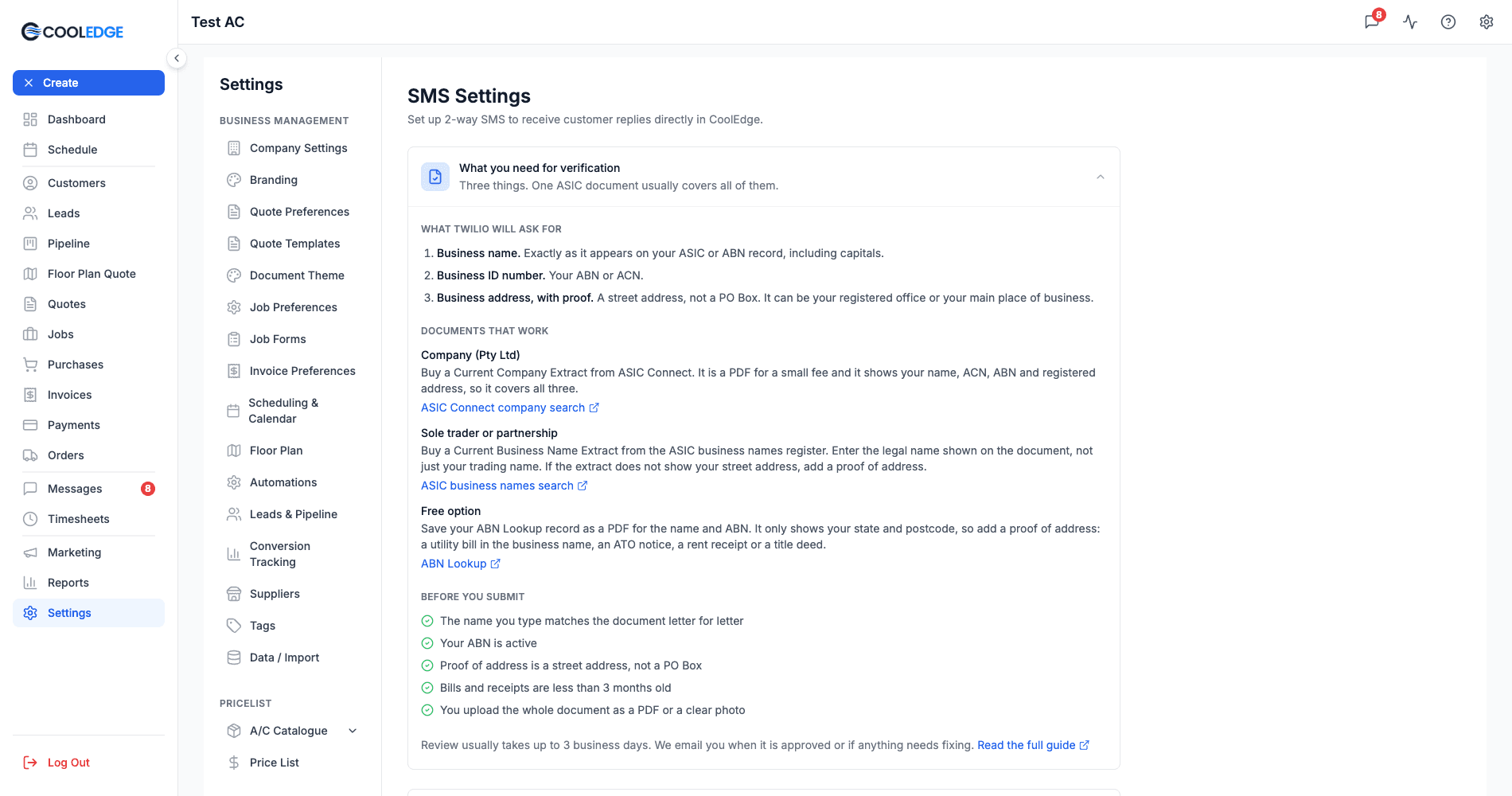
- Go to Settings → SMS Settings
- Click What you need for verification to expand the panel. It starts collapsed and it lists everything to have ready before you begin
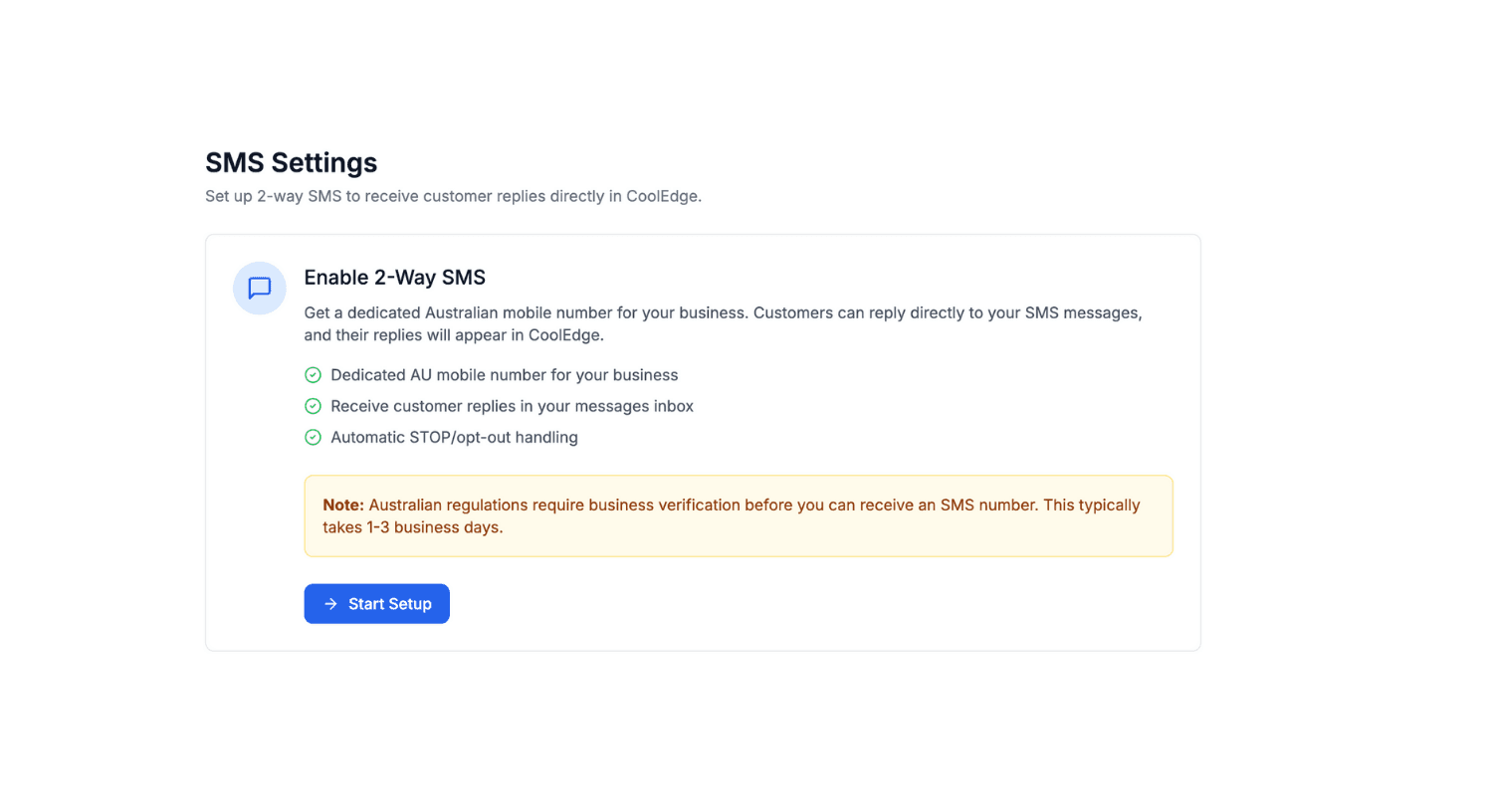
- Click Start Setup
Step 2: Create Your SMS Account
CoolEdge automatically creates a secure SMS subaccount for your business. This happens in the background when you start setup.
Step 3: Begin Verification
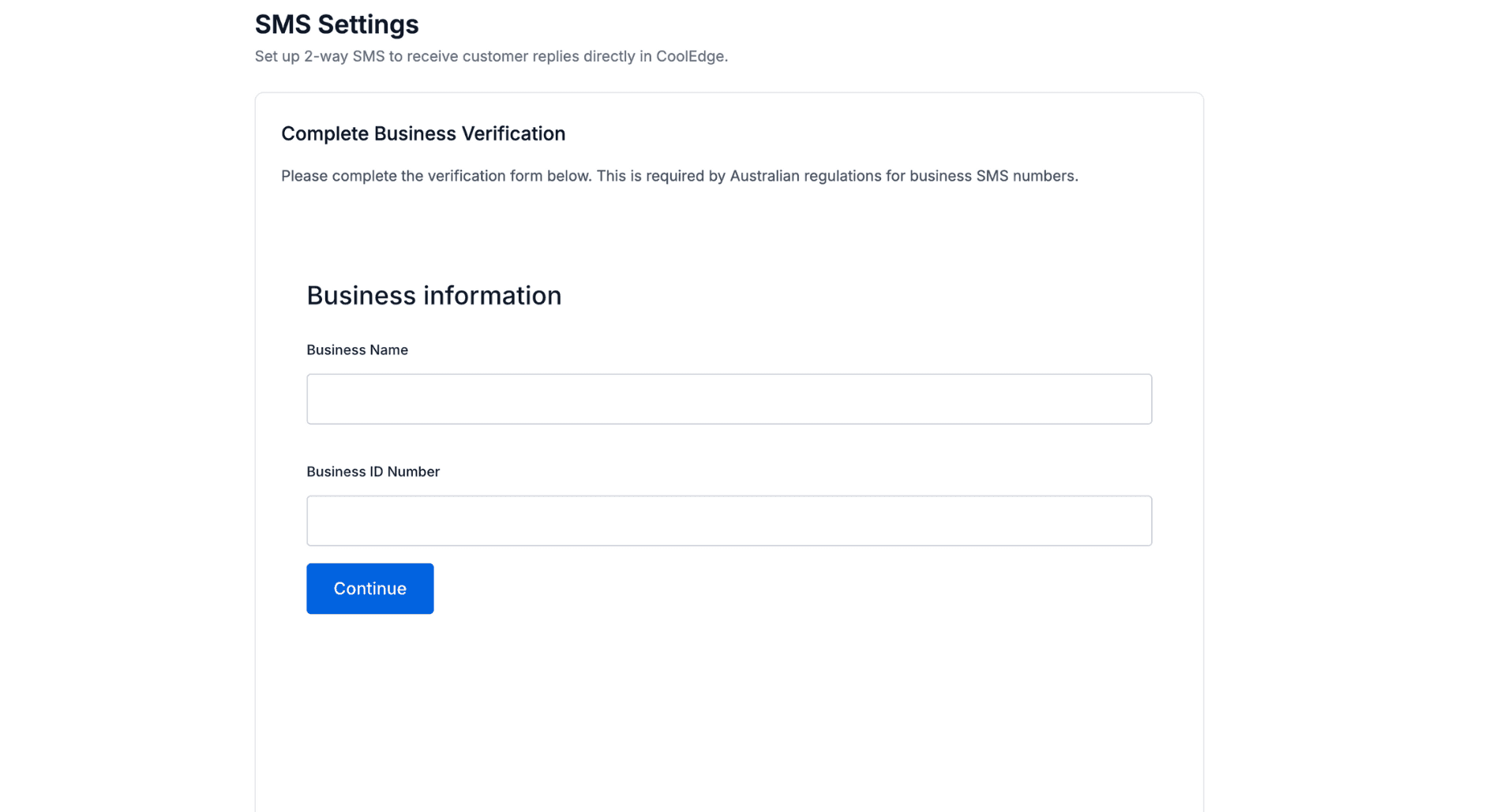
The compliance form will load, allowing you to submit your business information.
You do not have to finish it in one sitting. If you close the form part way through, Settings → SMS Settings shows a Continue Verification button that reopens it where you left off.
3. Completing Business Verification
Required Information
The form asks for three things:
- Business name. Exactly as it appears on your ASIC or ABN record, including capitals.
- Business ID number. Your ABN or ACN.
- Business address, with proof. A street address, not a PO Box. It can be your registered office or your main place of business.
That is the whole list. You are not asked for bank details, a personal ID or an authorised contact.
The SMS Settings page keeps the What you need for verification panel above the form. Click it open for the same list, the document links and the checklist below, so you can work through it while the form is up on screen.
Documents That Work
Pick the route that matches how your business is registered.
Company (Pty Ltd) Buy a Current Company Extract from ASIC Connect. It is a PDF for a small fee and it shows your name, ACN, ABN and registered office address, so one document covers all three requirements. ASIC Connect company search →
Sole trader or partnership Buy a Current Business Name Extract from the ASIC business names register. Small fee, also a PDF. Enter the legal entity name shown on the document rather than your trading name. For a sole trader that is your own name as it appears on the ABN. If the extract does not show your street address, add a proof of address as well. ASIC business names search →
Free option Save your ABN Lookup record as a PDF. It proves your name and your ABN at no cost. It only shows the state and postcode of your main business location, never a street address, so it cannot be your proof of address. Pair it with a recent utility bill in the business name, an ATO notice, a rent receipt or a title deed. ABN Lookup →
Before You Submit
- The name you type matches the document letter for letter, Pty Ltd and punctuation included
- Your ABN is active
- Your proof of address is a street address. A PO Box or a virtual address is not accepted
- Bills and receipts used as proof of address are less than 3 months old
- You upload the whole document, not a cropped screenshot. A PDF or a clear photo both work
4. Verification Status
Submission
After submitting:
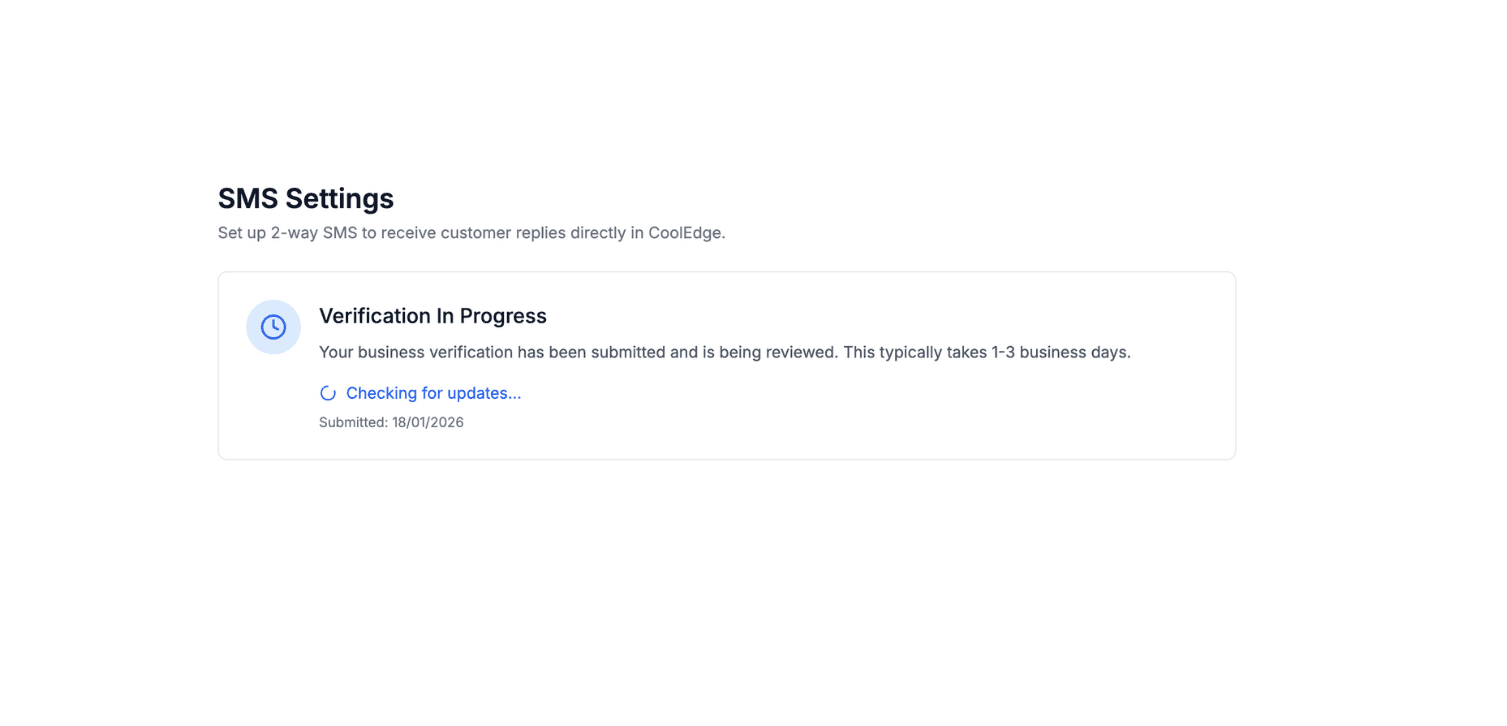
- Status shows as Verification In Progress
- Review usually takes 1 to 2 business days
- You get an email confirming the submission, then another as soon as there is an update
Checking Status
Return to Settings → SMS Settings anytime to check where your verification is up to:
- Verification In Progress: submitted and being reviewed
- Verification Needs Attention: something has to be fixed before it can be approved
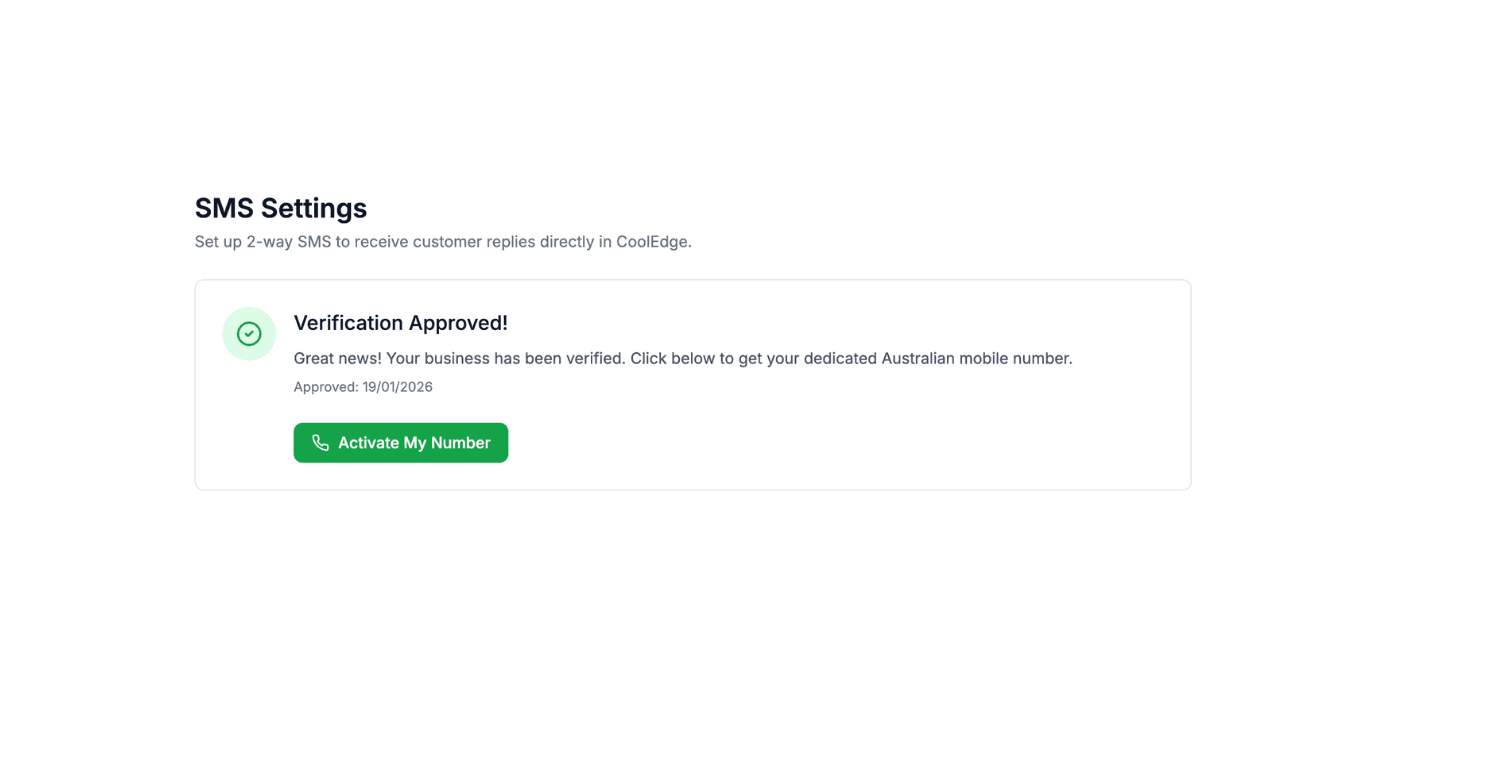
- Verification Approved!: ready to activate your number
You do not have to sit on the page. We email you when your verification is approved or if anything needs your attention.
If Rejected
If your verification needs attention:
- Read the reasons listed under Verification Needs Attention. The reviewer does not always give them, so if none are shown, go back over the form yourself
- Click Fix & Resubmit
- Correct the details or upload a better document
- Resubmit for review
The usual causes are listed under Verification Rejected below.
5. Activating Your Number
After Approval
Once verified, you'll see Verification Approved!:
- Click Activate My Number
- CoolEdge provisions your dedicated number
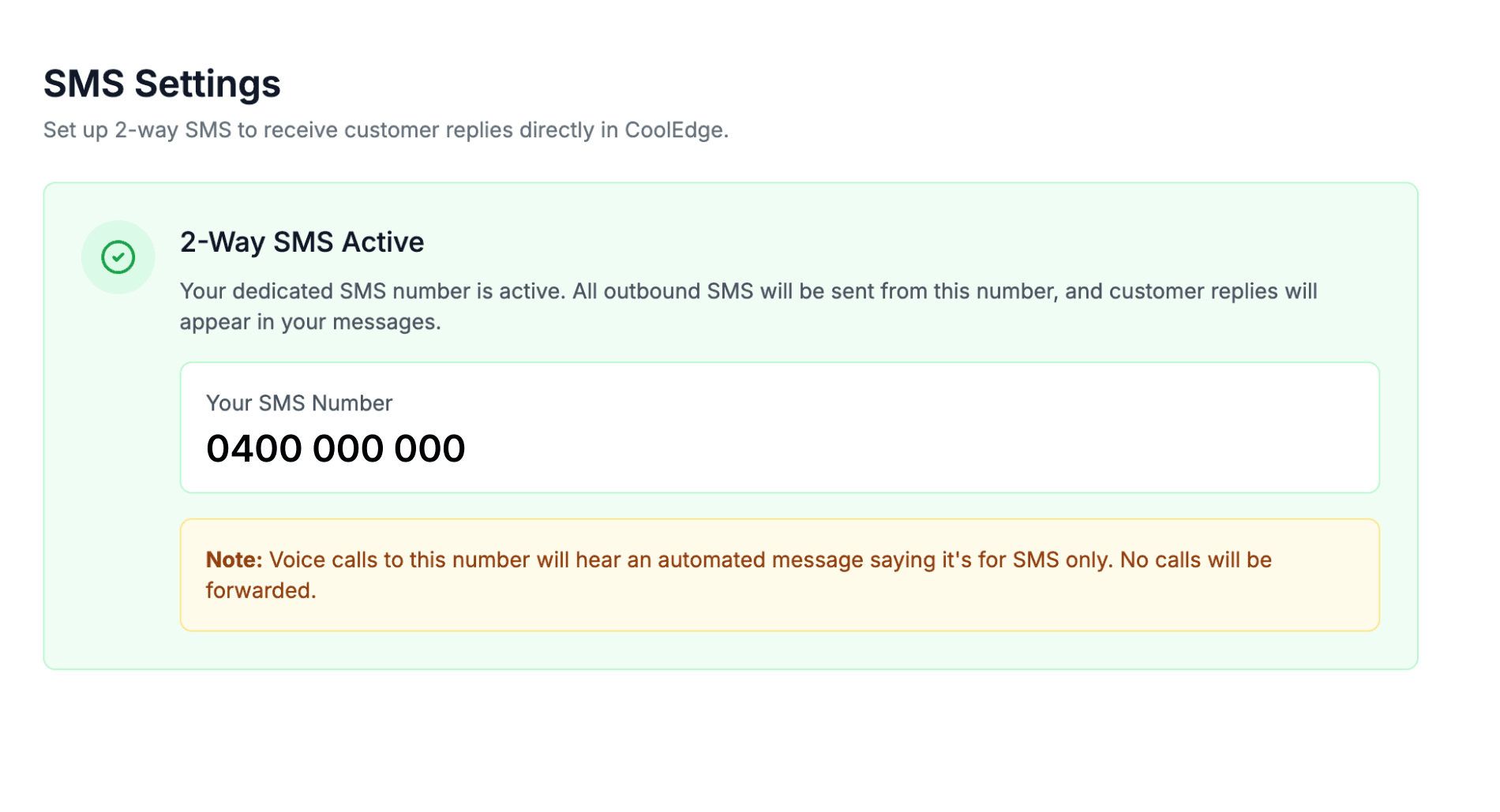
- Your new number displays in settings
Your New Number
You'll receive an Australian mobile number like:
- 0400 000 000 (displayed format)
- This becomes your outbound SMS sender ID
- Customers see this number when you send SMS
6. Using Your Number
Sending SMS
All outbound SMS now send from your dedicated number:
- Compose SMS as normal
- Customer receives from your number
- They can reply directly
Receiving Replies
When customers reply:
- Message appears in your Messages inbox
- Notification sent (if enabled)
- Reply linked to customer's conversation
A reply from a number that is not on any customer shows in Open with an Unmatched badge, for owners and admins only. Use Link to customer to match it. See Snooze, Archive and Trash.
Voice Calls
Your number takes calls as well as messages once call answering is turned on. An owner or admin turns it on in Settings → Phone Numbers with Turn on call answering. New accounts start with it on already. Until it is on, callers hear a short message saying the number is for text messages and the call ends.
With call answering on, you choose what happens when someone rings:
- Forward the call to up to five mobiles or landlines that all ring at once, every time or during business hours only
- Or send every caller to voicemail, with an AI summary and a transcript in Messages
See Call Forwarding and Voicemail → to set it up.
7. Managing Your Number
Viewing Your Number
Find your number in Settings → SMS Settings. Once setup is finished the page shows 2-Way SMS Active with your number underneath it.
Owners and admins also get Settings → Phone Numbers, which shows the same number as a card next to any extra numbers you have added. While call answering is off, that page shows the Turn on call answering card instead of the number cards.
Adding More Numbers
Your main business number is assigned to you automatically. You cannot pick it yourself or port an existing number in.
You can run up to five extra numbers alongside it. Owners and admins add them in Settings → Phone Numbers with Add Number. The owner can release one again at any time. A local number takes calls only. A mobile number can take SMS too, though outgoing texts always send from your main business number.
Cancellation
If you downgrade to Starter or cancel:
- Your main number is released, along with every extra number
- You lose access to 2-way messaging
- Conversation history is retained
8. Troubleshooting
Verification Taking Too Long
If more than 3 business days:
- Check Settings → SMS Settings for any status updates
- Look for emails from CoolEdge or our verification partner
- Contact support@cooledge.com.au
Verification Rejected
Nearly every rejection comes down to one of these:
- The business name you typed does not match the document letter for letter
- Your ABN is not active
- The address you gave is a PO Box or a virtual address
- The bill or receipt used as proof of address is more than 3 months old
- The document is cut off, blurry or otherwise unreadable
To fix it:
- Check your ABN is active on ABN Lookup →
- Copy your business name straight off the document rather than typing it from memory
- Re-upload the full document as a PDF or a clear photo
- Contact support if the reason is still unclear
Number Not Working
If SMS aren't sending after activation:
- Check you have SMS credits available
- Verify the status shows "Active"
- Try sending a test to your own phone
- Contact support if issues persist
Lost Access to Number
If your number shows inactive:
- Check your subscription is active (Growth/Scale)
- Verify payment method is current
- Contact support for assistance
9. FAQ
How long does verification take? Usually 1 to 2 business days. If it goes past 3 business days, check Settings → SMS Settings for a status update, then contact support@cooledge.com.au.
Can I choose my number? No, numbers are assigned automatically. They are valid Australian mobile numbers.
What if I change business names? You'll need to update your verification. Contact support for assistance.
Is there a cost for the number? The dedicated number is included with Growth and Scale plans at no additional cost.
Can I have multiple numbers? Yes. Your main number comes with SMS setup. Owners and admins can add up to five extra numbers in Settings → Phone Numbers, each billed monthly. See Adding Another Number →.
Next Steps: Start using Two-Way Text Messaging → or set up Message Templates →
Need help? Email us at support@cooledge.com.au
Was this article helpful?
Let us know if you found this information useful.
Still need help? Contact support
In this article
Use your browser's search (Ctrl+F) to quickly find specific topics within this article.
Browse all help articles →Related Articles
Booking Reminders
Automated SMS and email reminders that fire before every scheduled visit. Filter by staff, category, or visit type, with quiet hours and custom templates.
Call Forwarding and Voicemail
Forward calls from your business number to a mobile or landline, set business hours and record your voicemail greeting
Call History
See every call to your business number, who called, what happened and any voicemail they left