
Client Communication
One inbox for every customer email and SMS, built for a team. Assign, comment, snooze and send later.
Start Free TrialMessages
Re: Quote for split system install
Yes, Tuesday works for me!
Thanks for the quote!
All your conversations in one place
Stop switching between apps. Cooledge's unified inbox brings every customer email and SMS into one view your whole team can work from. Assign a conversation, leave an internal comment, snooze it or schedule the reply for later.
- Two-way SMS with your own dedicated business number
- Email replies captured automatically in Cooledge
- Your own inbound email address for new enquiries
- Full conversation history for every customer
- Push notifications for new customer replies
Key Features
Everything you need to communicate professionally with your customers
Unified Inbox
Every customer email and SMS in one place. Replies to your emails are captured automatically and you get your own inbound email address for new enquiries.
Team Inbox
Assign conversations, leave internal comments, @mention teammates and snooze until later. On Growth and Scale plans.
Two-Way SMS
Get a dedicated Australian mobile number. Customers can reply to your texts directly.
Message Templates
Create reusable email and SMS templates with dynamic variables for faster communication.
Built for a team
One shared inbox, with a clear owner for every conversation.
Assign it and find it in Mine
Assign a conversation to yourself or a teammate from the thread header. Mine gathers every open conversation you are assigned to or following, with a count of the unread ones.
How the team inbox works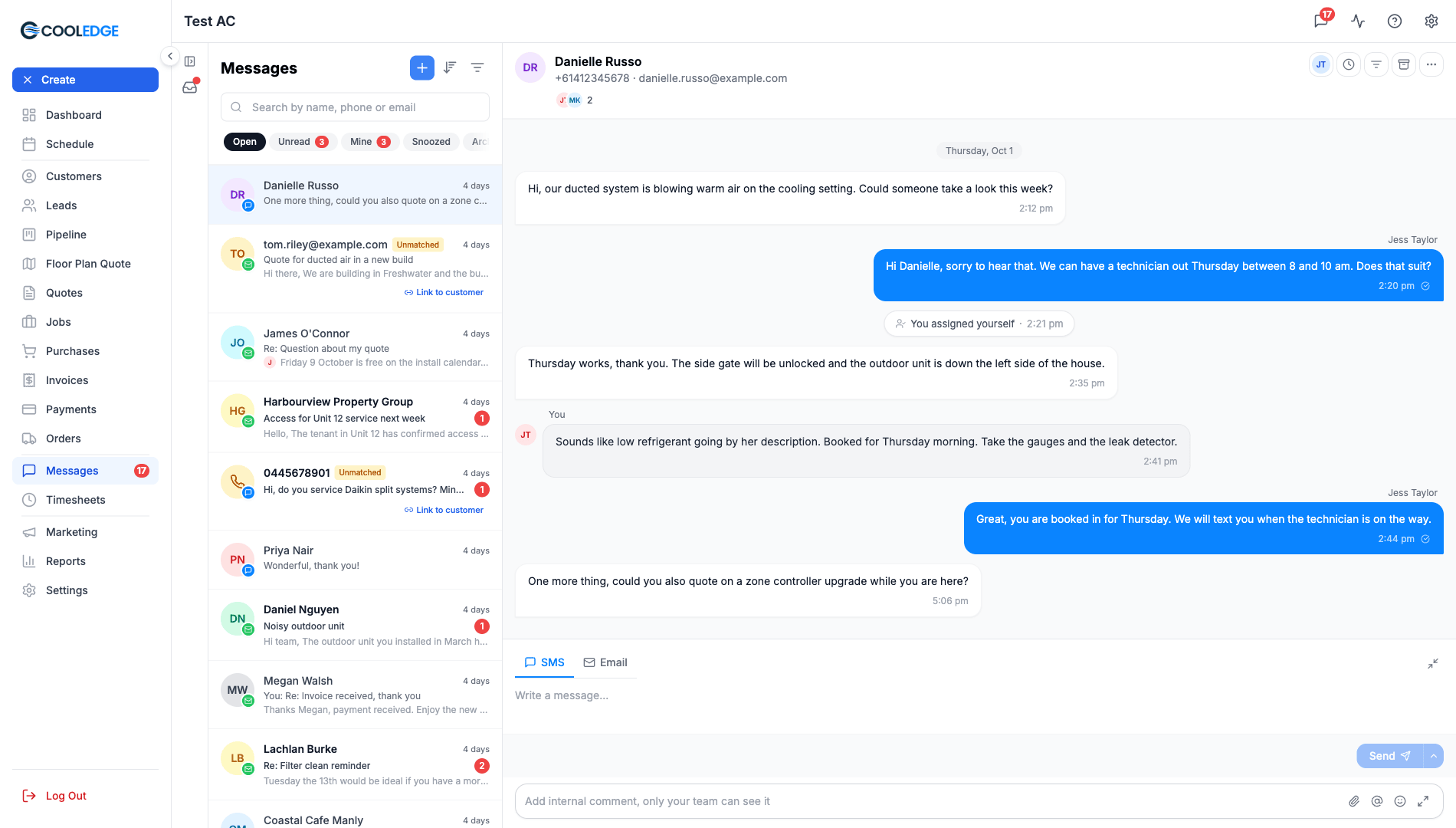
Talk it over without the customer seeing
Leave an internal comment under the reply box and type @ to mention a teammate. Comments stay inside your team and are never sent to the customer.
Comments and mentions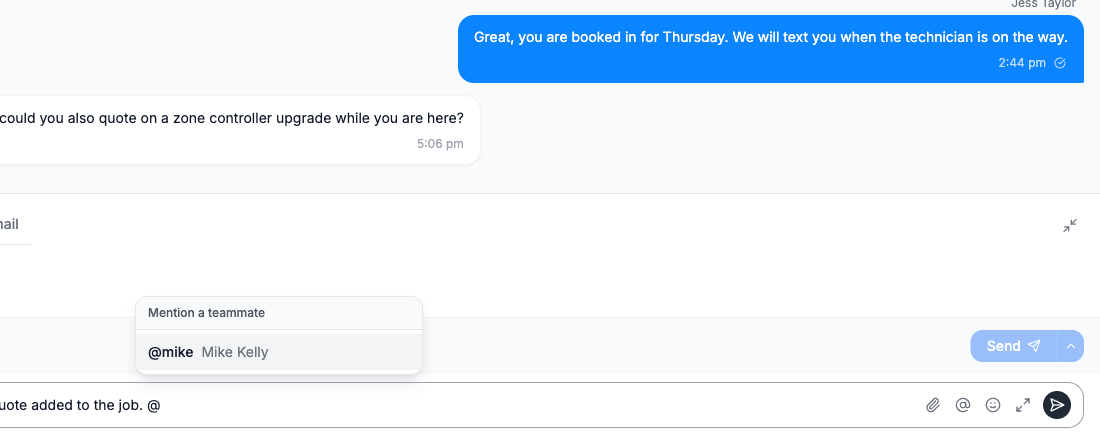
Snooze it, archive it or trash it
Snooze a conversation until Tomorrow, Monday, In 3 hours or a time you pick and it comes back by itself. Archive clears it from Open for the whole team. A new message from the customer reopens it either way. Trash never deletes anything.
Snooze, archive and trash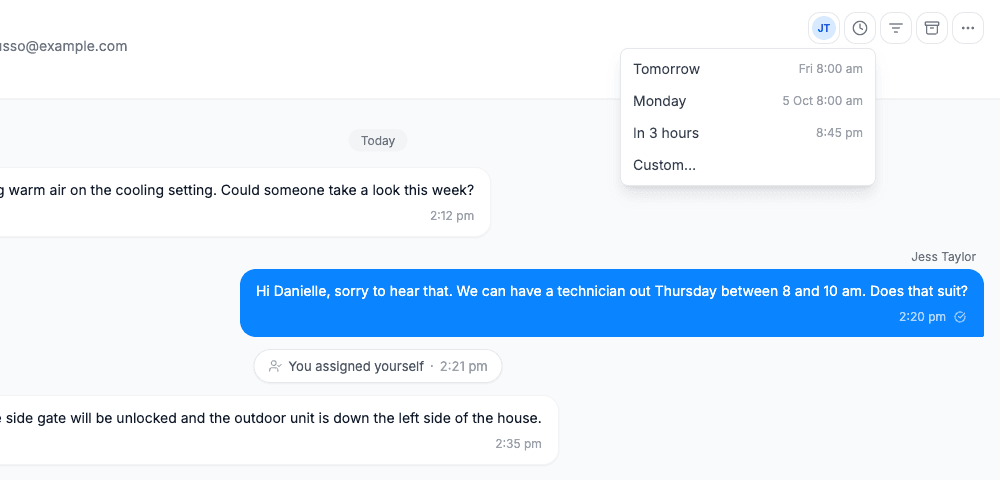
Send later and undo send
Write the reply now and pick when it goes, any time in the next year. A Send later card sits at the end of the thread so the whole team can see what is scheduled. When you press Send in Messages, undo send holds your SMS or email for 6 seconds, so you can take it back.
Send later and undo send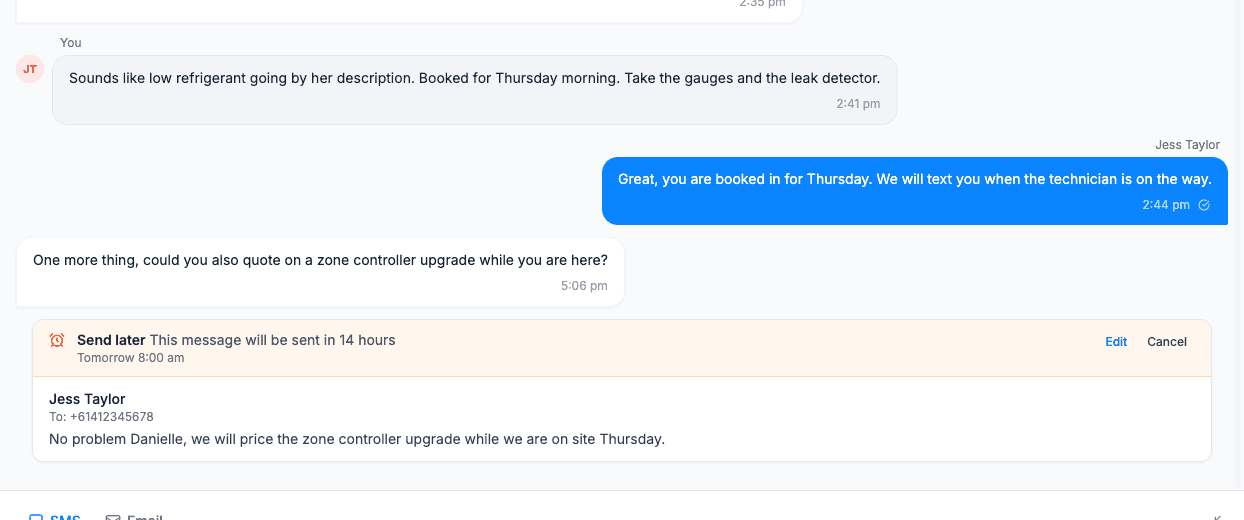
Send later, undo send, Archive and Trash are on every plan. Assignment, Mine, internal comments and mentions, participants and Snooze are on Growth and Scale. The mobile app has the same team inbox. It is where your team members work, while owners and admins can use the portal too.
One place to send everything
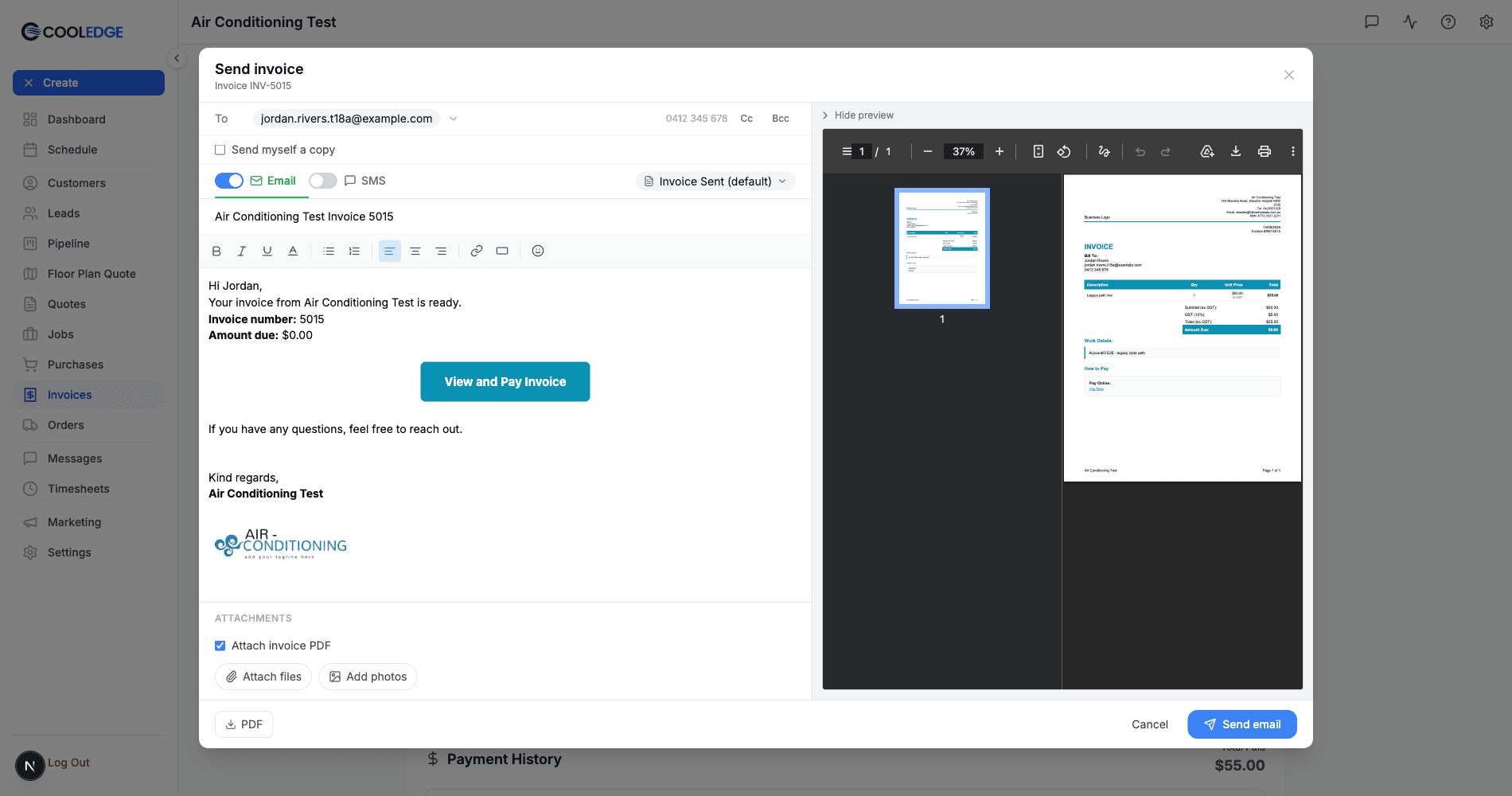
Quotes, invoices, purchase orders and job forms all send from the same screen, on your computer or from the app on site. Choose who it goes to, say it your way and see the message before it leaves.
Email, SMS or both
Send a quote or invoice by email, text it or do both at once
Your templates, tweaked per send
Start from a saved template and edit the wording for this one customer
Attach what matters
The PDF, completed job forms, site photos or any file up to 20 MB from the portal. From the app, attach images
Know it landed
See delivered, clicked or bounced against every document you send
Sign off properly
Your company signature with logo and contact details on every email you compose
Your own dedicated business number
Get a dedicated Australian mobile number for your business. When you send SMS to customers, they can reply directly and their responses appear in your Cooledge inbox.
Send from your number
All outbound SMS come from your dedicated business number
Receive replies
Customer responses are captured and linked to their profile
Get notified
Push notifications and email alerts for new messages
Compliance handled
Automatic STOP/opt-out handling included
Note: Two-way SMS with a dedicated number is available on Growth and Scale plans.
Danielle Russo
0412 345 678
Hi Danielle, just confirming your install for Tuesday 9am. Reply YES to confirm or call us to reschedule.
10:32 AM
YES, Tuesday works for me! See you then 👍
10:45 AM
Simple SMS Pricing
SMS credits included with every paid plan. No surprises.
Starter
50
SMS credits/month
Outbound SMS
Growth
300
SMS credits/month
+ Dedicated 2-way number and team inbox
Scale
600
SMS credits/month
+ Dedicated 2-way number and team inbox
Need more? Additional credits just 10c each.
1 credit = up to 160 characters. Longer messages may use additional credits.
How It Works
Get up and running with client communication in minutes
Enable Unified Inbox
Turn on the unified inbox in Settings → Email Settings, on the Unified Inbox tab. Replies to your emails then land in Messages.
Register Your Number
Complete business verification in SMS Settings (required by AU regulations). Review usually takes 1 to 2 business days.
Send Messages
Send SMS and emails from Messages. Use templates for common messages and Send later to schedule one.
Manage Replies
Customer replies appear in Messages with the full conversation history. Reply and archive it when you are done. On Growth and Scale you can also assign it to a teammate.
Related Features
Client communication works seamlessly with other Cooledge features
Ready to streamline your business?
Try free for 14 days. Create professional quotes and manage jobs in minutes.
Cancel anytime.