
Order Every Quote's Materials from the Right Supplier
Split a quote's materials into one purchase order per supplier in one click, priced from each supplier's own pricebook.
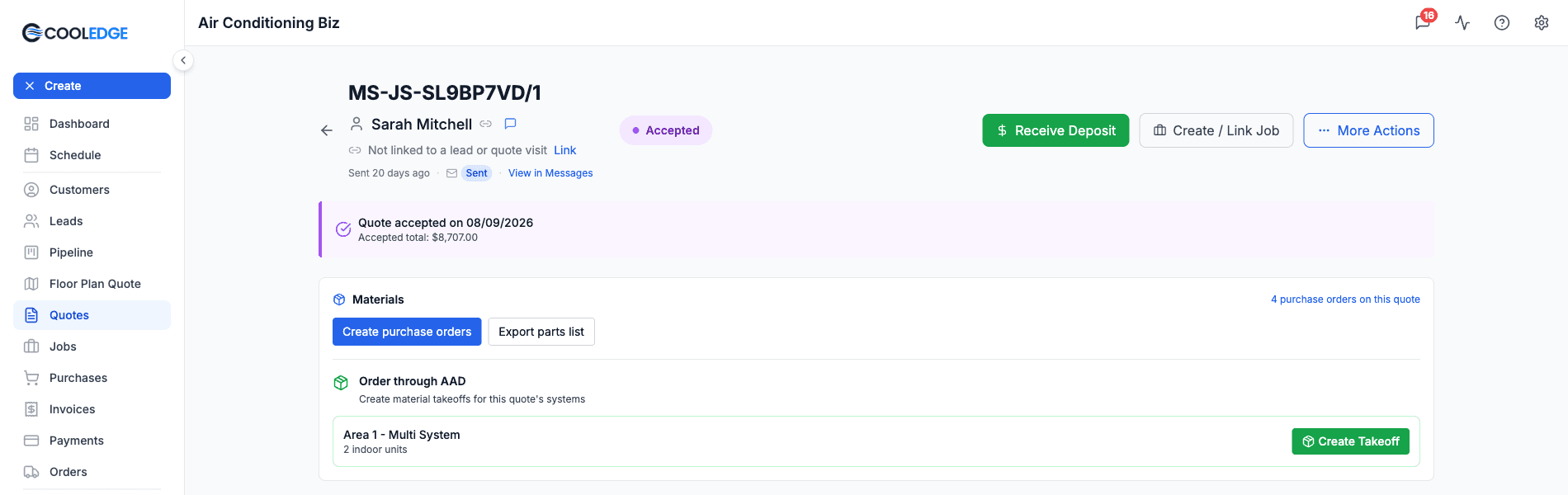
Built for Australian trade businesses. Use the suppliers you already buy from. Approved AAD accounts can still order through AAD from the same quote.
Start Free TrialFrom Quote to Purchase Orders in One Click
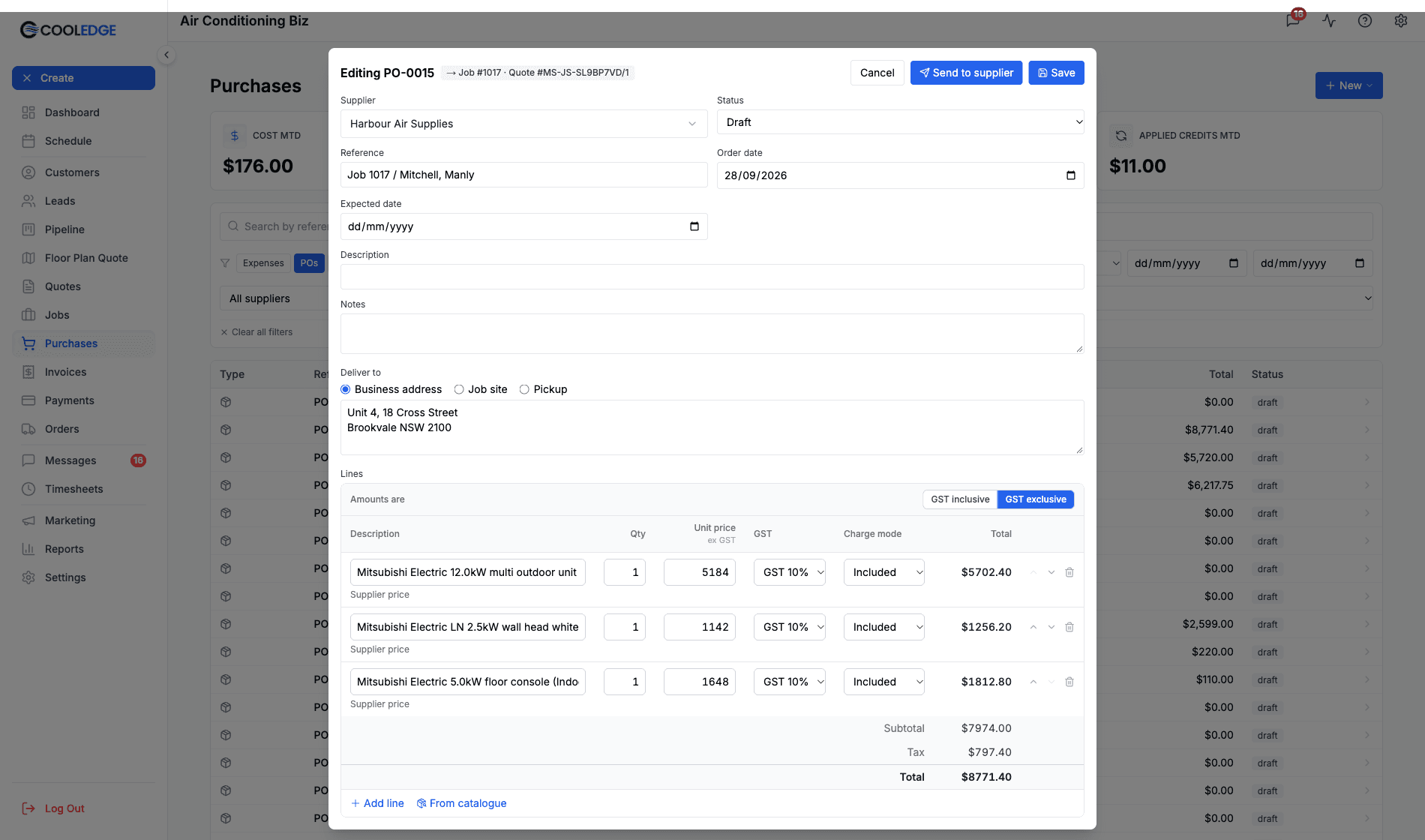
Every quote has a Materials card. Click Create purchase orders, choose a supplier for each group of items and Cooledge creates a draft purchase order for every supplier at once. No retyping the parts list. No hunting for part numbers.
- One draft purchase order per supplier, created in one action
- Items grouped as Unit, Ducting, Controls, Materials, Add-ons and Other
- Lines priced from each supplier's pricebook, with their SKUs
- Works from the take-off on ducted, split, multi and VRV quotes
- Quotes without a parts list start a blank purchase order instead
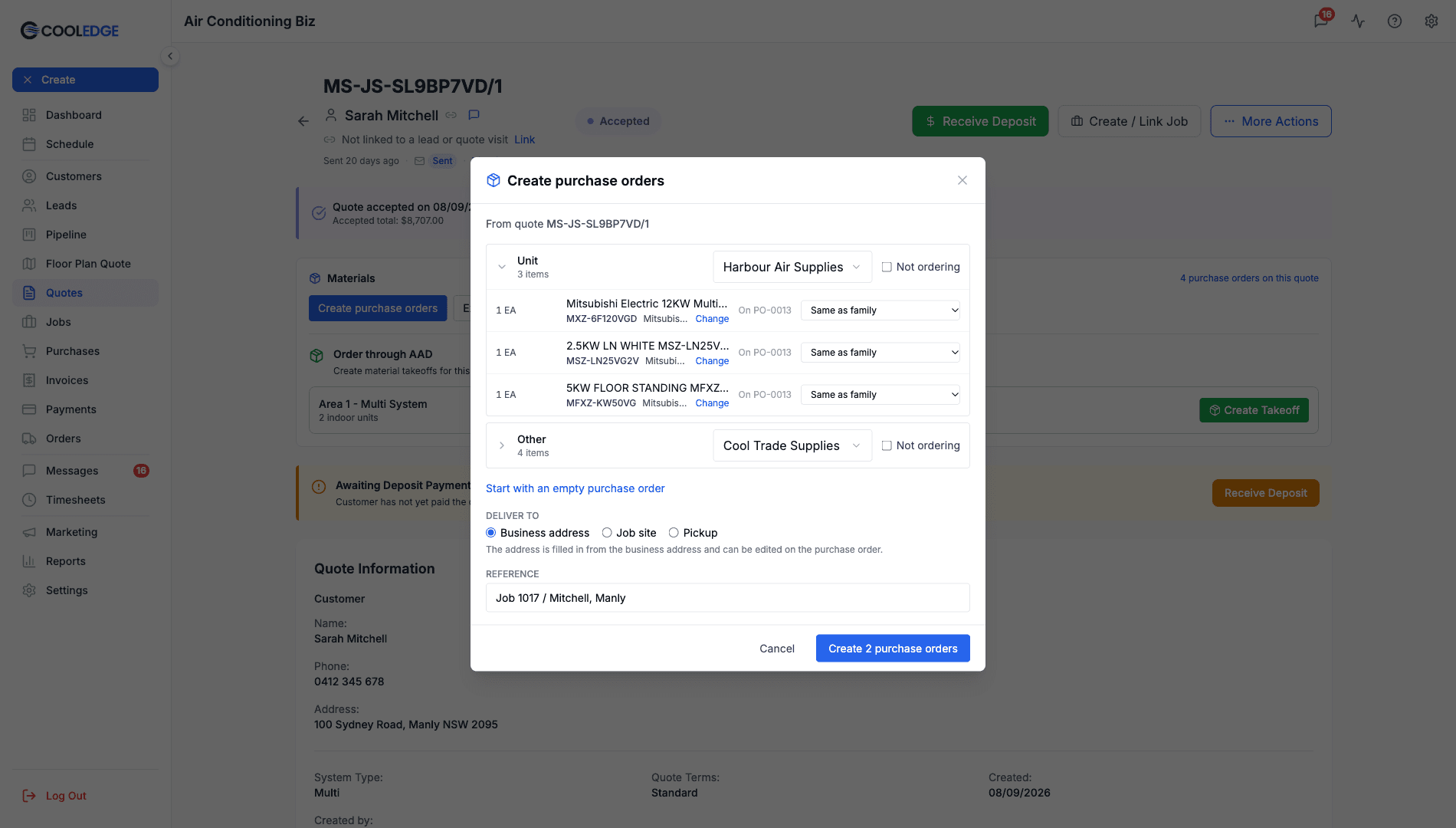
Split by supplier in one click
Send the units to one supplier and the ducting and materials to another. Expand a group to move a single item to a different supplier or leave it off the order. The Materials card also exports the parts list and links to every purchase order already on the quote.
- Pick a supplier for each group or tick Not ordering
- Change the supplier for a single item without touching the group
- Items already on a purchase order for this quote are tagged
- Add a new supplier without leaving the quote
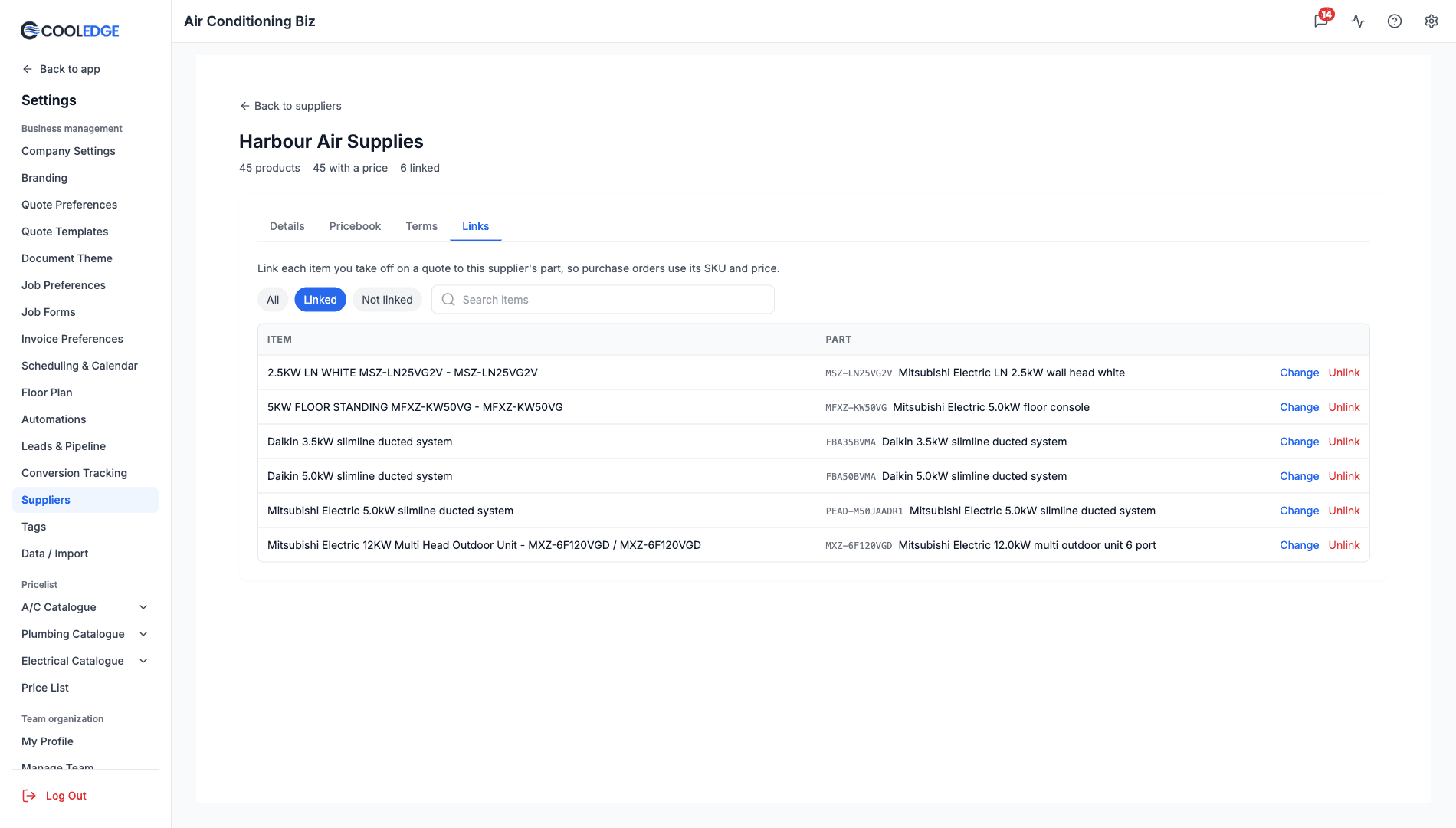
Upload the pricebook your supplier already sends
Save your supplier's price list as a CSV and upload it on the supplier's Pricebook tab. Columns can be in any order. Cooledge matches common headings like Part No, Description and Trade Price for you and reuses your mapping next time.
- CSV files up to 10 MB and 50,000 rows
- Only SKU and Price are required
- Upload list or trade prices (your discount applies) or your actual buy prices
- Amounts can be GST exclusive or GST inclusive
- Add pricebook items to your price list, trade parts and units, with costs that follow the supplier
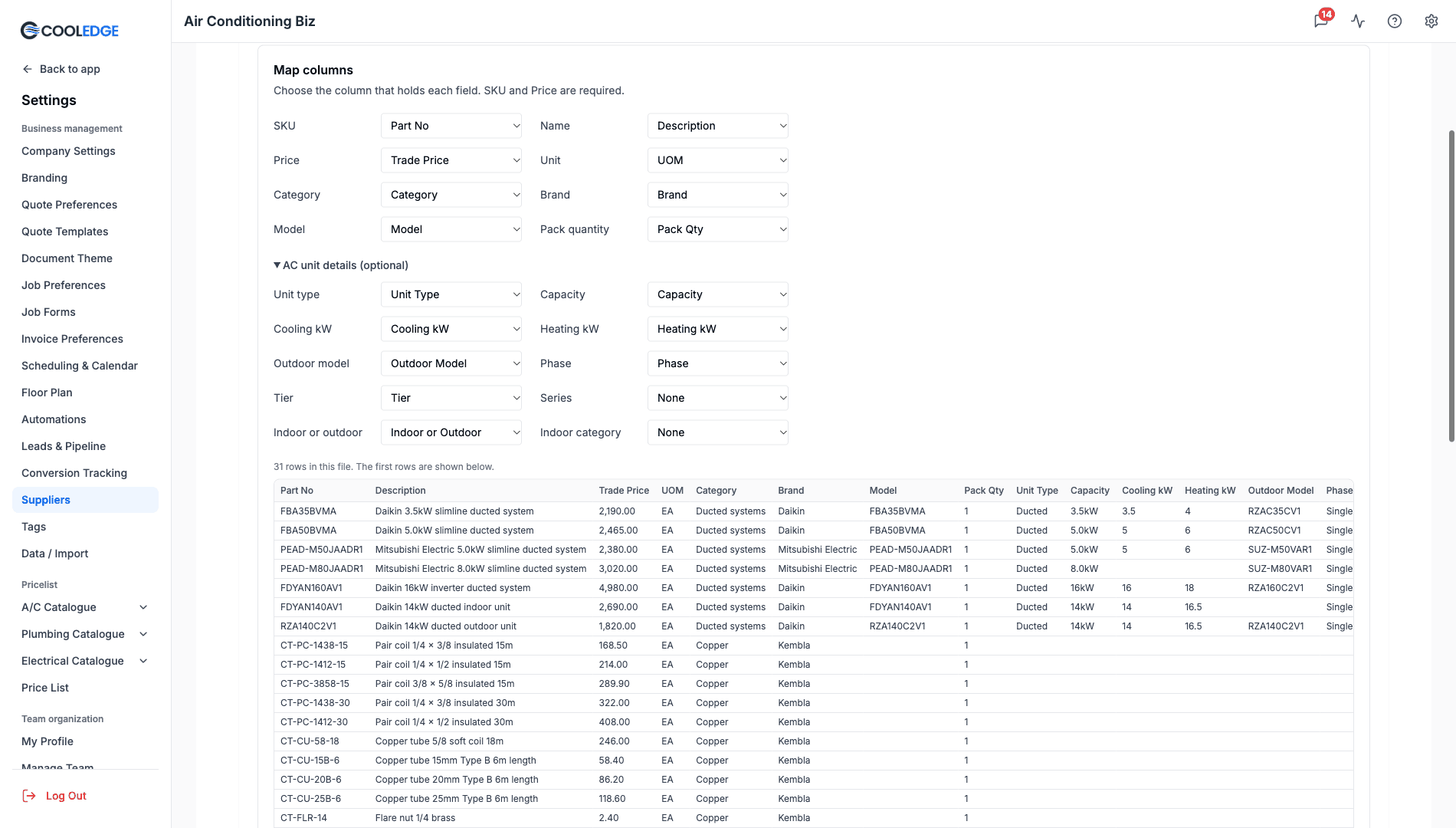
Link a part once, use it on every order
Link each item you take off on a quote to the supplier's part and every future purchase order with that supplier uses its SKU and price. Link parts on the supplier's Links tab or with Choose part right inside Create purchase orders.
- Suggested matches for units by model or SKU, applied only when you click
- Filter by Linked or Not linked to see what is left
- Change or Unlink a part at any time
- Links are kept per supplier, so no part number is guessed
Priced purchase orders, ready to send
Each line is priced from that supplier: your actual buy price if you uploaded one, otherwise the list price less your category or supplier discount. A caption under every line shows where its price came from, so anything without a price stands out before you send.
- AC units fall back to your catalogue cost when the supplier has no price
- Add more lines from the supplier's pricebook with From catalogue
- Show amounts GST inclusive or GST exclusive
- Send to supplier emails the order with the PDF attached
Still Ordering Through AAD?
If your business has an approved AAD (Australian Airconditioning Distributors) account for the customer's state, accepted and paid quotes show an Order through AAD block on the Materials card. Create Takeoff and Create Combined Takeoff sit right there.
Want AAD priced from your own list instead? Add AAD as one of your suppliers and upload its pricebook like any other. AAD takeoffs are not available for VRV systems.
Read the AAD GuidePowerful Features Under the Hood
The details that make every purchase order right the first time
Remembered Suppliers
The supplier you pick for each group is saved for your whole business and filled in on the next quote. Change it whenever you like.
- Shared by everyone in your business
- Preselected the next time you create purchase orders
- Ticking Not ordering clears a group's saved supplier
- Single-item changes are not remembered
Pricebook Imports with Undo
Every upload shows exactly what changed and keeps a history. Uploaded the wrong file? Undo the latest import within 24 hours.
- Added, updated and deactivated counts after every import
- Download errors as a CSV with the row and the reason
- Products missing from a file are switched off, never deleted
- Recent imports lists your last 20 uploads
Supplier and Category Discounts
Upload list prices and let your trade terms do the maths. Set a discount for the supplier, then a different one for any category.
- Discount % taken off the supplier's list prices
- Category discounts replace it for matching products
- Actual buy prices are used as uploaded, with no discount
- Prices 90 days or older are flagged with their age
Deliver To on Every PO
Tell the supplier where the order goes. Pick Business address, Job site or Pickup and the address is filled in for you, ready to edit.
- Business address by default, job site when the quote has one
- Set once for every purchase order in the batch
- The address is saved with the purchase order
- The PDF prints a Deliver To block beside the supplier
Now with Purchase Orders, Bills and Job Profitability
Cooledge has gone beyond take-offs. Send purchase orders, reconcile bills, track credit notes and see profit per job, live. The Purchases module ships with every paid plan.
Learn more about Track Costs & ProfitWhich plans include it?
Creating purchase orders from a quote, split by supplier, comes with every plan: Starter, Growth and Scale. Uploading supplier pricebooks, linking parts and setting supplier discounts are on Growth and Scale.
Ready to streamline your business?
Try free for 14 days. Create professional quotes and manage jobs in minutes.
Cancel anytime.